
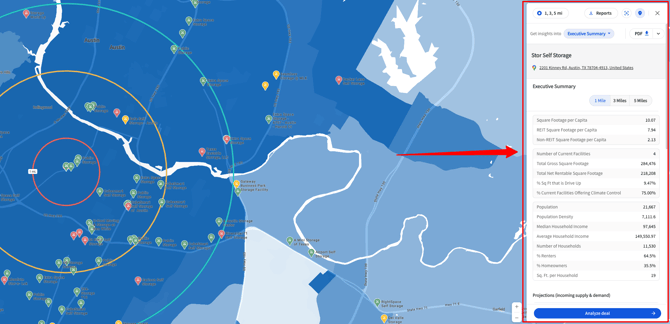
When you click a facility pin or drop your own pin, the Insight Panel appears on the right-hand side of your screen.
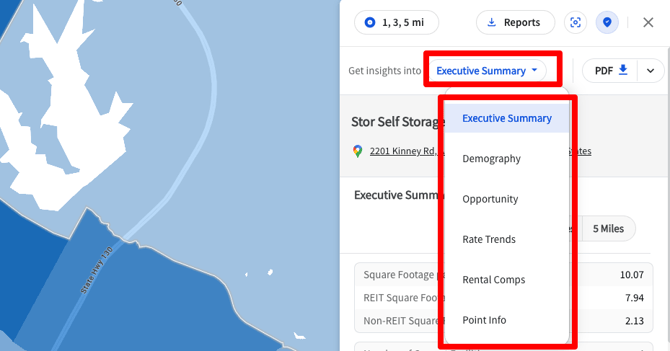
From the drop-down menu, you can access and navigate to additional insights, including:
- Executive Summary – A full market snapshot and shareable site report
- Demographics – Population, household, and income data
- Opportunity Report – Market opportunities, benchmarks, square foot per capita, and supply and demand projections
- Rate Trends – Historic pricing patterns
- Rental Comps – Comparable facility rental rates
Going Deeper with Analyze Deal
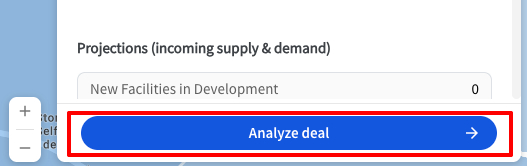
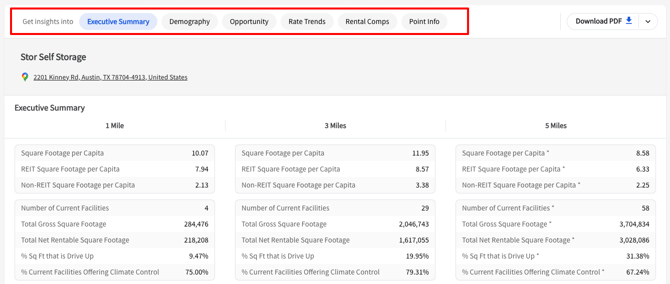
For a more detailed view, click the blue Analyze Deal button at the bottom of the panel. This expands your selected site into its own full-page view, with:
- Individual pages for each report type
- Customizable filters
- Options to export reports and tables for presentations, analysis, and underwriting
Why It Matters
The Insight Panel is your gateway to TractIQ’s most powerful tools. Whether you’re browsing quick stats, running comps, or downloading a detailed report.
If you have any questions about using the Insight Panel or need help interpreting the data, reach out to our team; we’re always here to support you.