
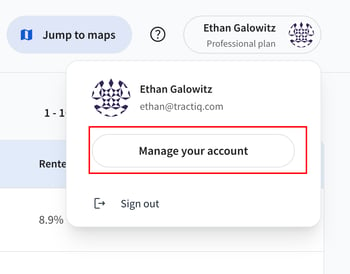
To update your account information, click on your name in the top right corner of the dashboard or map and then select “Manage your account.”
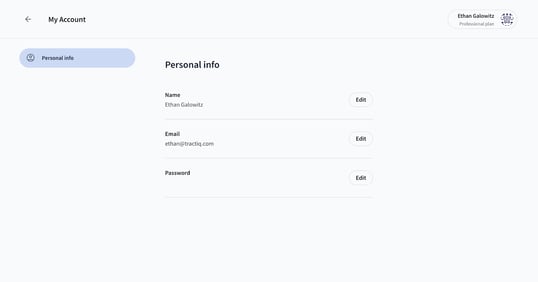
You will then be redirected to an account management page. To update any properties, click edit and follow the instructions. You must hit the “save” or “update” button to lock in the changes.
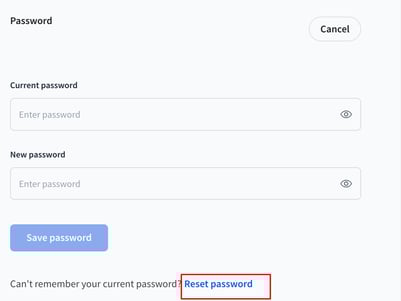
If you are logged in when updating your password, you will need to provide both your current and new password. If you’ve forgotten your current password, you can still select “edit” password and then use the reset password button below. Don’t forget to hit “Save password” when you’re ready to set your new password!
If you are not logged in and you’ve forgotten your password, you can reset it here using an email link.
If you’re having any other issues not solved by this article, don’t hesitate to reach out to us at support@tractiq.com. This email is actively monitored and we typically respond within 1 business day.