Overview
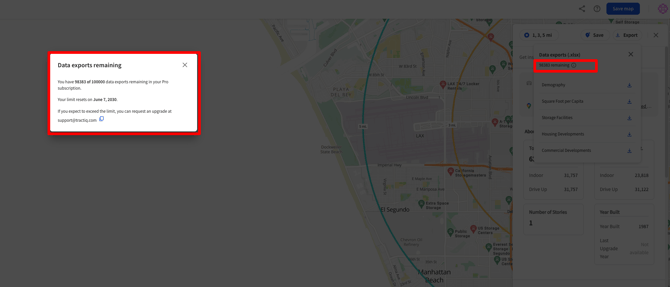
Each TractIQ subscription tier includes a set number of data exports, designed to give you flexibility while keeping usage aligned with how you work in the platform. This article explains how export limits work, what counts as an export, and where to find or adjust your limits.
What Counts as an Export (and What Doesn’t)
What does not count toward export limits
PDF exports are unlimited across all plans. You can freely export PDFs from:
- Executive Summary
- Demographics
Opportunity - Rate Trends
- Individual PDF charts within Insight Panel pages
These exports are designed for sharing, presentations, and quick analysis; and they do not impact your export allotment.
What does count toward export limits
Export limits apply only to raw data exports, including:
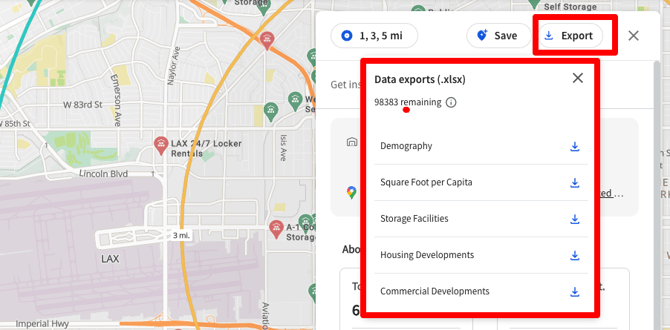
- Demographics
- Square Foot per Capita
- Storage Facilities Report
- Housing Development Report
- Commercial Development Report
- In-Place Data
- Rental Comps
- Data exports from the Dashboard
These exports typically download as XLSX files and are intended for deeper analysis, modeling, or offline workflows.
Export Limits by Subscription Tier
Annual Plans
Annual plans include a yearly export allotment that scales with the number of users on your account.
- Starter (Annual): 80 exports per year, scaling with users
- Pro (Annual): 300 exports per year, scaling with users
- Pro Plus (Annual): 500 exports per year, scaling with users
Pro and Pro Plus customers can purchase additional export packages as needed. Contact support@tractiq.com to learn more. Unused exports do not roll over into the next annual term.
Monthly Plans
Monthly plans reset export limits each month and also scale with users.
- Starter (Monthly): 5 exports per month, scaling with users
- Pro (Monthly): 30 exports per month, scaling with users
- Pro Plus (Monthly): 50 exports per month, scaling with users
Pro and Pro Plus customers can purchase additional export packages as needed. Contact support@tractiq.com to learn more. Unused exports do not roll over into the next monthly term.
Managing Your Export Usage
You can view your current export usage and limits directly in the “export” tab within the Insight Panel.