
Featured Updates
Deal Notes
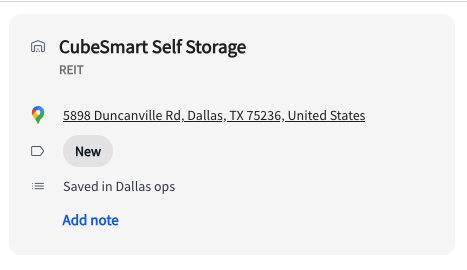
Now you can manage your deal end to end in TractIQ with Deal Notes! This means you can keep track of your thoughts as you’re underwriting from directly in the platform. This was our most-requested new feature for the Dashboard. Deal notes will stick with your deal as long as you want and are visible to you in the dashboard, map, and analysis pages. To add your first note, simply click “Add note” for any deal.
Prospect by address
If you’re self managing or interested in a particular region, you can now build a prospect list of all the facilities within 100 miles of you (or any point you specify). You’re still able to search by state or across the entire country like before.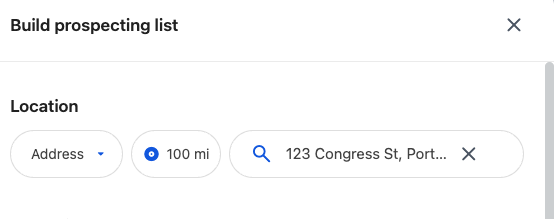
Features & User Experience Updates
- Open insight panel in Dashboard by Default
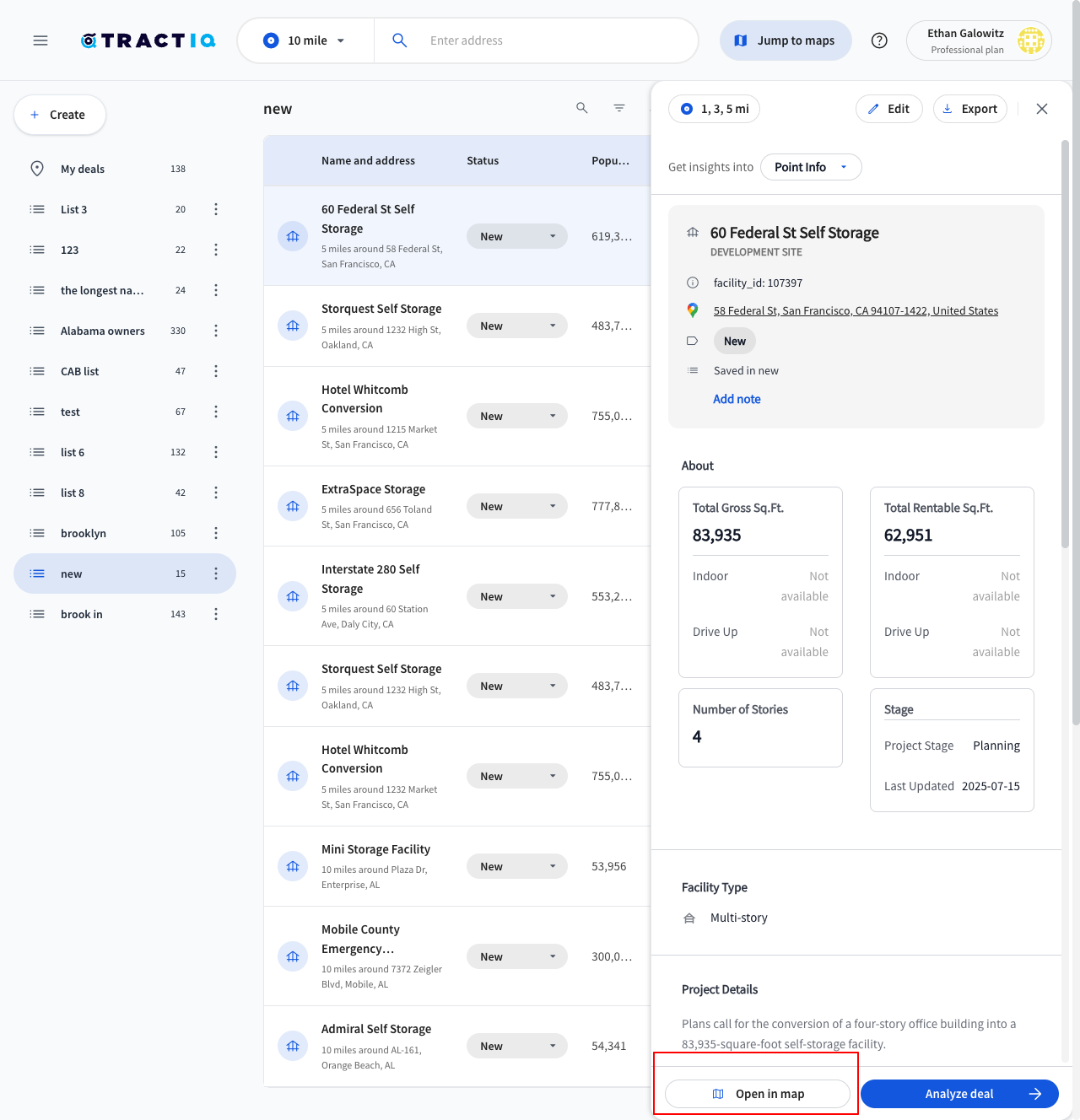
Access deal information and market date 2-3x faster than before! We made the default experience that when you click anywhere on a deal row, the insight panel pops straight open in the dashboard. This way you can understand the market in seconds and easily flip between deals. You can still jump straight to the map by clicking the pin icon on the right side of the deal or by clicking “open in map” at the bottom of the insight panel.
We made several other small adjustments to the user interface to make it easier to use and more intuitive. - “Only” selection for prospecting by state
We made the prospecting tool even easier to use by allowing you to select multiple states or “only” to immediately get a single state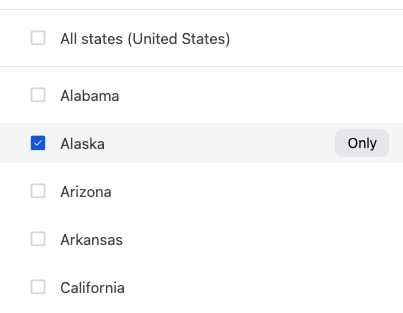
- Allow custom radius selection during prospecting
We moved the radius selection for prospecting to inside of prospecting so that you can set which radii you want to use when you save your prospecting list rather than falling back to whatever your most recently used radii were.
- Made it easier to see data in dashboard
Instead of hiding some data when you hover over a row in the dashboard, all data will continue to be visible regardless if you are hovering over a deal or not.
New, Updated, and Removed Development Sites:
|
New Developments |
Updated Developments |
Removed Developments |
|
4 |
254 |
1 |
New, Updated, and Removed Facility Count:
|
New Facilities |
Updated Facilities |
Removed Facilities |
|
46 |
1290 |
20 |
Bug Fixes
- Fixed rental comps report which was showing a summary of the last 13 months instead of the last 12 months as the trailing 12 month price average.
- Fixed “click to copy” from the insight panel in the dashboard when a user looks for non-verified square footage facilities
- Added information about why a facility or development site may no longer exist if it was saved to a deal previously
- Retain active insight panel page when switching between dashboard and map or analyze deal. For example, you can now go straight into the demographics insights from the dashboard by clicking analyze deal